Remote Support
Need help? We've got you.
Download and run the support agent for your device. Once installed, our team can securely connect to assist you.
How it works
Download
Choose the correct version for your computer and download the agent.
Install & Run
Run the downloaded file. You may need to approve a security prompt.
We Connect
Our team will see your device and can securely assist you remotely.
Download the Support Agent
After downloading, double-click the file. You will see this window:
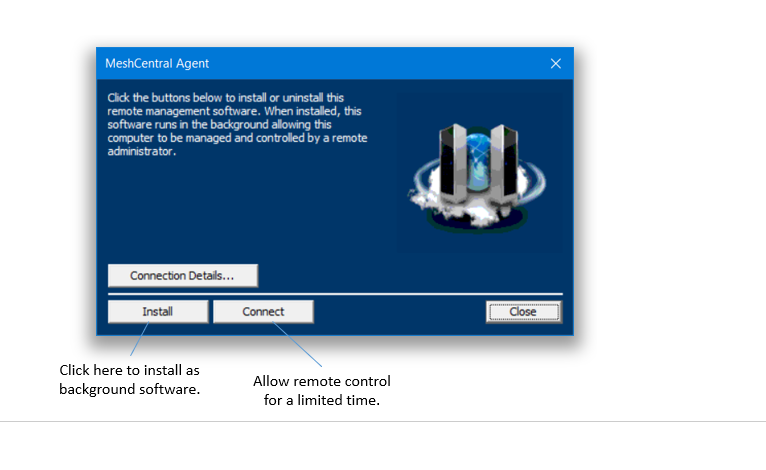
Installs a background agent permanently on the computer. Use this for devices that need ongoing support and management. Do not use for one-time assistance.
Allows remote access for the current session only. Once you close the window, the connection ends. Use this for one-time assistance.
You'll be taken to a page where you can choose your operating system.
Having trouble? Call us at +267 77 833 816 or email [email protected] and we'll walk you through it.